
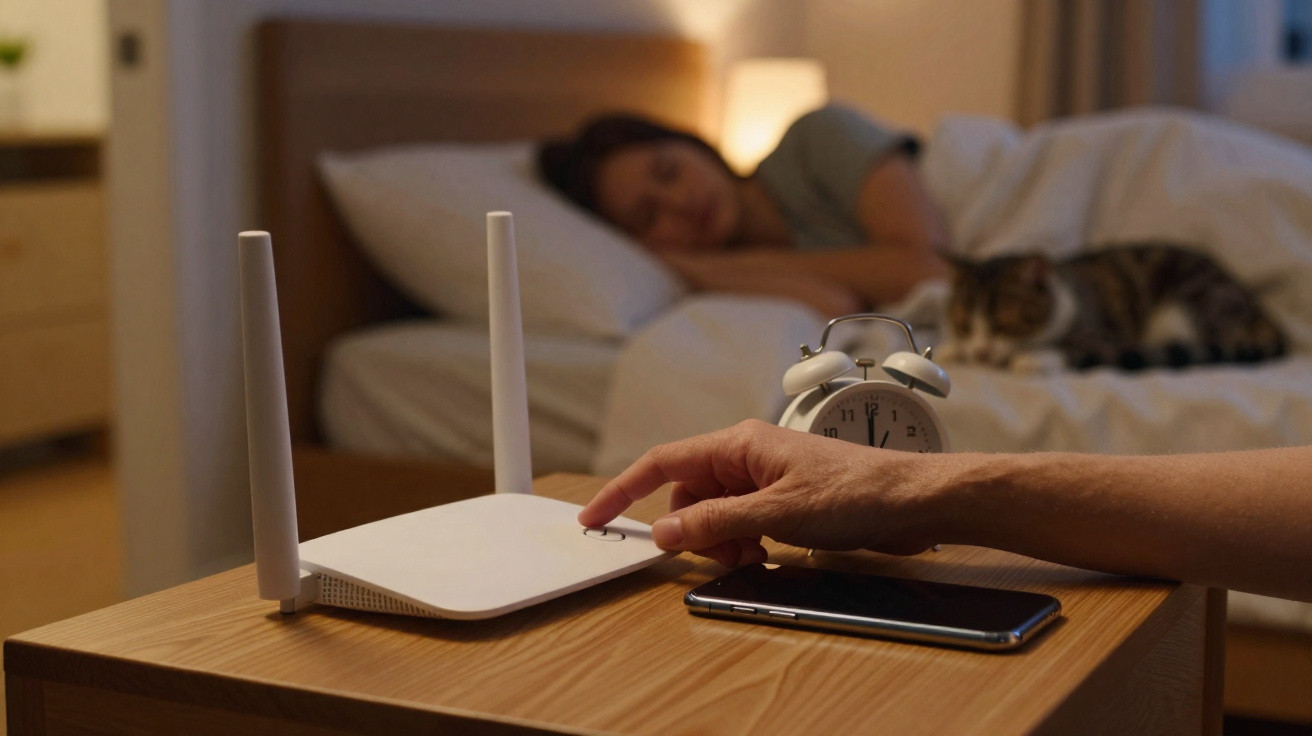
By the time people collapse onto their pillow at night, the router in the hallway is rarely on their mind. The wireless network simply keeps running, night after night. Yet a growing number of specialists are questioning that assumption. They advise switching Wi-Fi off deliberately overnight – for health reasons, more restful sleep and even a small saving on household costs.
Why Wi-Fi in the bedroom may be a problem
Humans are not designed to remain digitally available 24 hours a day. The body follows the circadian rhythm, an internal clock that regulates sleeping and waking. Light, sounds and technology in the surrounding environment can all affect this rhythm.
Wi-Fi routers continuously emit radio waves. Although these signals are weak and far below legal exposure limits, sleep specialists and environmental medicine practitioners repeatedly urge greater caution. They point to indications that ongoing exposure to radio signals may disrupt sleep, particularly where routers and connected devices are positioned directly beside the bed or headboard.
“Switching off the wireless network at night creates a calmer setting for the brain and nervous system – at least allowing a few hours of genuine offline time.”
Research remains inconclusive in many respects. There is no definite figure showing the level of radiation at which sleep is guaranteed to suffer. Even so, individual studies and personal reports suggest that people often sleep better when less technology is active in the room and Wi-Fi is paused overnight.
How radio waves may affect the sleep cycle
Radio waves are suspected of altering subtle processes within the body. One area of discussion is whether they influence the release of melatonin, the “sleep hormone”. When the internal body clock is disrupted, common effects can include:
- taking longer to fall asleep
- waking repeatedly during the night
- light sleep that offers little restoration
- daytime tiredness and difficulty concentrating
The reality is that many people sleep in rooms packed with routers, repeaters, Bluetooth speakers, smart TVs and several smartphones. All of them transmit signals at the same time. Reducing this technology deliberately can ease the burden on the body, even if the precise impact of each individual radio source is difficult to measure.
Saving electricity with one click: how much does it really achieve?
Health is one consideration; the electricity bill is another. A router that operates around the clock typically uses between 5 and 10 watts. That may sound insignificant, but it is still charged for every day of the year.
Switching the device off for eight hours each night reduces its running time by one third of the day. With a typical router, this amounts to roughly 2 to 3 kilowatt-hours per month, depending on the model. Over a year, the saving is in the single-figure to low double-figure euro range – not a fortune, but certainly not nothing.
“Turning Wi-Fi off overnight will not produce a huge saving, but it fits perfectly into a lifestyle that uses electricity more consciously.”
“Silent” electricity users around the home
The router represents a wider issue: so-called hidden or phantom electricity use. These are devices that appear to be off but continue drawing power:
- televisions and games consoles left on standby
- plug-in radios, smart speakers and set-top boxes
- chargers left plugged into sockets
- printers that are never fully switched off
In some homes, these permanently running devices account for a double-digit percentage of the annual bill. People who turn off their Wi-Fi at night often start considering other appliances too – and, collectively, can save considerably more than the router alone would suggest.
Establishing a new evening routine in just a few days
Many people resist changing their habits because it seems complicated. In the case of a router, however, a straightforward routine is enough. After one or two weeks, it tends to become almost automatic, much like brushing your teeth.
Practical ways to switch off Wi-Fi every evening
There are several ways to introduce a night mode for your internet connection:
- Use a switched socket: Plug the router into a basic socket with a switch, turn it off briefly in the evening and back on in the morning.
- Set up a timer: An analogue or digital timer can disconnect the router from the mains automatically each evening.
- Configure a router schedule: Many devices offer time profiles in their settings, allowing Wi-Fi transmission to pause overnight as standard.
- Set a phone reminder: Those who prefer the simplest option can create a regular alarm reminder on their smartphone.
Initially, this can feel unfamiliar, especially for anyone who streams a series or checks social media shortly before falling asleep. Within a few days, media use generally shifts a little earlier on its own. For many users, turning everything off becomes a conscious signal that the day is over.
Less radio exposure for children, babies and pets
This is particularly relevant in homes with children. Parents often already use blue-light filters, limit mobile phone use and keep tablets out of children’s bedrooms. Muting the router overnight is a useful addition to these protective measures.
Children’s bodies respond more sensitively to stimuli, while their nervous systems are still developing. Scientific research is ongoing, but many doctors already recommend the same principle for radio waves: as little exposure as reasonably possible. The same applies to babies, who often sleep for several uninterrupted hours in the same room, and to pets, which may favour spots near extension leads or routers.
“Switching off Wi-Fi at night reduces radio exposure for everyone living under the same roof – without much effort or any meaningful loss of comfort.”
What users should consider before switching off Wi-Fi
The decision should not be made without some thought. A few issues need checking first:
- Do smart smoke alarms or security systems use the home Wi-Fi? If so, a mobile network backup or a separate network may be required.
- Some smart-home systems control heating or blinds during the night. Check the settings to establish whether the router genuinely needs to remain on around the clock.
- Anyone working night shifts or on call should make sure that all essential devices can operate via the mobile network.
In many households, these points can be dealt with quickly. Most devices often use mobile data anyway, or are not as closely dependent on Wi-Fi as many people assume.
Digital detox: why offline time benefits mental wellbeing
Beyond radio waves and electricity costs, switching off the network brings another benefit that is harder to quantify: psychological distance. When people know that no new messages, emails or push notifications will arrive over their home Wi-Fi during the night, they are usually more willing to put their smartphone down.
The brain can then leave its state of “constant readiness”. Sleep experts repeatedly report that this very act of switching off is crucial to restorative nights. Whether Wi-Fi is on or off, making a deliberate decision to draw a line under the evening sends a clear message to both body and mind.
How one small button press can change everyday life
Creating an evening ritual around switching off the router can trigger more changes than expected. People who begin ending their internet connection consciously often question other habits as well: does the phone really need to go to bed with them? Is there any need for a television in the bedroom? Would an e-reader in flight mode be enough?
Gradually, the evening can become a little more analogue – with a book, conversation, a board game or simply greater quiet. Electricity use falls, radio exposure in the home decreases, and sleep has a better opportunity to become genuinely restorative. The effort remains minimal: one simple action, one button press or a small timer.






Comments
No comments yet. Be the first to comment!
Leave a Comment